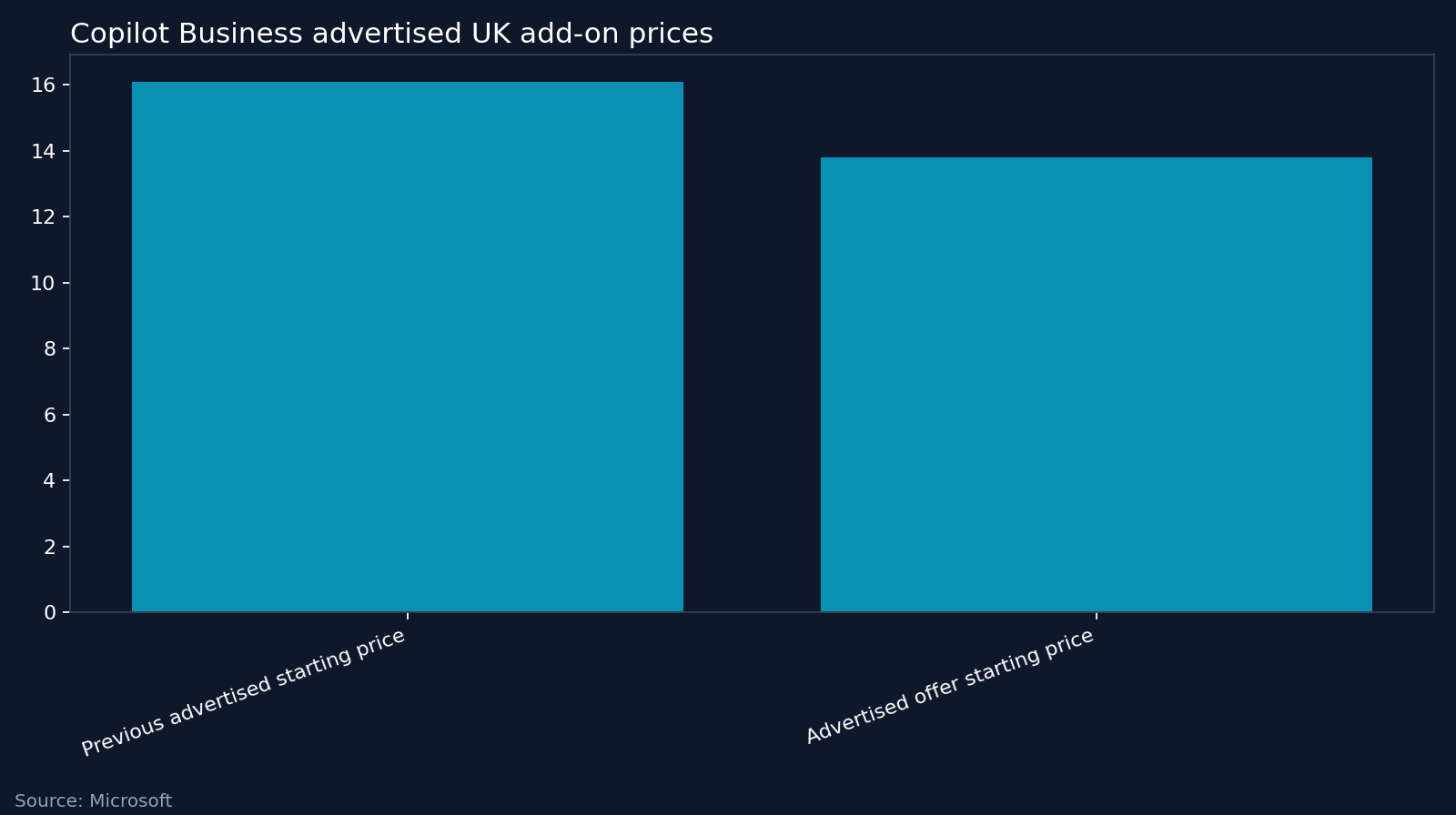

For a UK company with fewer than 50 employees, Microsoft 365 Copilot Business is worth considering for specific roles, rather than buying automatically for everyone. Microsoft advertises the add-on from £13.80 per user per month, paid yearly, excluding VAT. Our view is that the purchase earns its place only when regular use of company information reduces the time needed to produce checked, usable work.
Buy for the work someone does
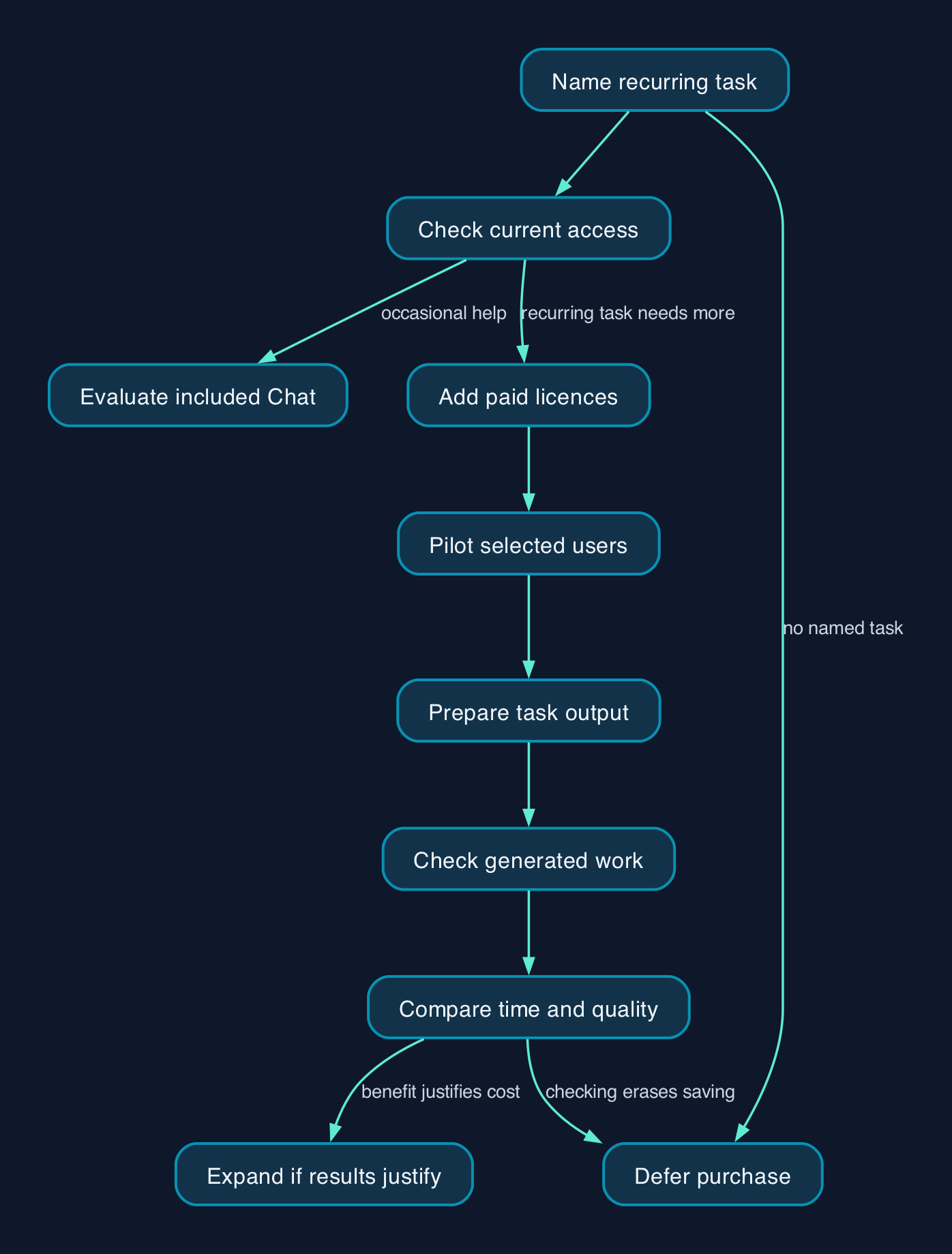
Our editorial position is to license a recurring task before licensing a department. A job title alone is a poor buying criterion.
Consider a hypothetical account manager who regularly prepares customer updates from email correspondence and working documents. That is a plausible task to evaluate because Microsoft describes the paid add-on as providing chat informed by business data and Copilot features within applications including Word, Outlook and Teams. Microsoft’s capability distinction
The test is whether the account manager produces an accurate update faster after checking the draft. A quick first draft that needs extensive correction has not demonstrated a saving.
For someone who wants occasional help rewriting a paragraph or exploring an idea, start by evaluating the Copilot Chat access already included with an eligible subscription. Microsoft describes that option as suitable for occasional users, while positioning the paid add-on for frequent use across working applications. Microsoft’s licensing and cost guidance
Do not reduce the distinction to “chat versus an AI button in Word”. Microsoft says chat experiences inside applications vary with the organisation’s configuration and licence. Check what staff can already do before attributing every useful interaction to the proposed upgrade. Application experience requirements
Who owns the setup and the result
Microsoft recommends pilot testing, reviewing access policies and addressing SharePoint content governance before wider deployment. Its setup guidance also warns that some management features described there may require additional licences. Microsoft’s deployment guidance
For a small business, I would assign responsibilities as follows. These are proposed operating arrangements, not additional Microsoft licence requirements.
| Responsibility | Suggested owner | Evidence that the work is complete |
| --- | --- | --- |
| Confirm eligibility, mailbox readiness and application access | Internal administrator or existing IT provider | Each proposed user can access the required features |
| Review access to documents used in the evaluation | Administrator and document owners | Sensitive folders have named owners and reviewed access |
| Define the task and acceptable output | Department manager | A written example of a satisfactory result |
| Check generated work | The employee using Copilot | Figures, commitments and factual statements checked before use |
| Decide whether to expand or renew | Budget owner | Recorded results and a confirmed contract price |
Where an IT provider handles the setup, request a separate scope for readiness checks, configuration and staff support. That makes the service cost visible alongside the subscription and gives someone responsibility for resolving problems.
What the UK price actually buys
The following advertised prices were captured on 28 September 2026. All are GBP amounts per user per month, paid yearly under annual subscriptions, excluding VAT. The add-on and complete bundles are different purchases.
| Purchase | Advertised price | What the buyer must distinguish |
| --- | --- | --- |
| Copilot Business add-on | From £13.80, previously from £16.10 | Requires a separate eligible Microsoft 365 subscription; offer terms apply. [Add-on pricing](https://www.microsoft.com/en-gb/microsoft-365/business/additional-services-plans-and-pricing) |
| Business Standard with Copilot | £18.10 | A combined subscription, with desktop applications and Teams listed among its features. [Microsoft’s advertised Standard bundle](https://www.microsoft.com/en-gb/microsoft-365/exchange/exchange-online-business-plans-and-pricing) |
| Business Premium with Copilot | £24.60 | A combined subscription that also lists device management and additional security capabilities. [Microsoft’s advertised Premium bundle](https://www.microsoft.com/en-gb/microsoft-365/business/microsoft-365-plans-and-pricing) |
The bundle prices make it worth requesting a complete subscription quote before adding Copilot to an existing agreement. However, a displayed bundle price does not establish whether your current subscriptions can move immediately, what credit you receive or what the renewal will cost.
The precise promotion eligibility, minimum purchase, offer duration and renewal price are not established here. Obtain those terms in writing before treating £13.80 as your payable rate. Microsoft’s Business FAQ separately confirms that the purchasing commitment is annual, even where billing is monthly. Commitment terms
A conditional licence budget
Assumptions are that the company qualifies for the advertised £13.80 rate, that it applies throughout the annual term and that an eligible base subscription is already held.
Using Microsoft’s advertised add-on price, the calculation is:
- One licensed user for a year costs £13.80 × 12 = £165.60.
- Ten licensed users cost £165.60 × 10 = £1,656.
- Forty licensed users cost £165.60 × 40 = £6,624.
These are calculated licence subtotals excluding VAT, not total ownership costs. Budget separately for setup, access reviews, training, support and the time spent checking outputs.
Keep custom agents and external data connections outside the initial evaluation unless they are essential to the chosen task. Microsoft documents usage-based charges for some Copilot Chat extensions, including agents accessing shared organisational data. An included chat entitlement should not be treated as a promise that every extension is free. Extensibility cost considerations
Choose between keeping, adding and rebundling
| Approach | When I would favour it | What would change the decision |
| --- | --- | --- |
| Keep the existing subscription and evaluate included Chat | The need is occasional drafting or general assistance | A recurring task needs capabilities absent from the current entitlement |
| Add Copilot Business for selected users | Regular work depends on information and applications covered by the paid offering | Checking effort erases the apparent time saving |
| Request a combined subscription quote | A renewal or wider Microsoft 365 review is already due | Switching costs, contract restrictions or renewal terms outweigh the quoted benefit |
| Defer the purchase | Nobody can name the task, owner or acceptance standard | A measurable use case and a responsible manager emerge |
The product distinctions behind these choices come from Microsoft’s licensing guidance and Business FAQ. The suitability judgements are CTC’s analysis.
Editorial analysis
The strongest argument for a wider purchase is that employees may discover useful applications that management would never specify in advance. That deserves room in an evaluation. It does not justify counting every employee as a productive user before anyone has measured the result.
I would compare completed examples of the same recurring task, recording preparation, prompting, checking and rework. Keep the quality standard unchanged. Ask what the recovered time enables, such as clearing a backlog or completing customer updates sooner.
Time saved is not automatically cash saved. If payroll and output remain unchanged, describe the benefit as additional capacity, then decide whether that capacity warrants the subscription and support cost.
The available evidence establishes advertised prices and Microsoft’s stated capabilities. It does not establish a measured productivity return for a company like yours. My recommendation is therefore selective adoption with a named task and owner, followed by expansion only where the results justify it. Treat the evaluation as a small annual purchasing decision unless different terms are explicitly confirmed.
FAQ
Is £13.80 the whole monthly cost?
No. Microsoft advertises that amount as a starting price for the Copilot Business add-on, paid yearly, excluding VAT and requiring an eligible Microsoft 365 subscription. UK add-on pricing Setup, training and support must also be included in your budget.
Can we cancel after a one-month evaluation?
Do not assume so. Microsoft says Copilot Business has an annual commitment with monthly or annual billing, rather than a month-to-month purchasing agreement. Copilot Business purchasing terms Any trial or alternative commercial arrangement needs its own confirmed terms.
Is Copilot Chat enough for a small company?
It may be enough for the tasks you actually need. Microsoft includes Copilot Chat for eligible users and distinguishes it from the paid add-on’s work-based chat and embedded capabilities. Microsoft’s capability and cost comparison Evaluate that existing entitlement before paying for an upgrade.
Should every employee receive a paid licence?
Our recommendation is to start with employees who have a recurring, measurable use case. Assess the finished work, including checking time, before expanding. Microsoft itself recommends pilot testing with a selected group as part of deployment readiness. Copilot setup guidance
Sources
- Microsoft — Microsoft 365 Business additional services and pricing. Pricing retrieved 28 September 2026.
- Microsoft Learn — Microsoft Copilot Business FAQ. Retrieved 28 September 2026.
- Microsoft Learn — Minimum requirements to deploy Microsoft Copilot. Updated 08 September 2026.
- Microsoft Learn — Licensing and cost considerations for Copilot extensibility options. Updated 22 September 2026.
- Microsoft Learn — Set up Microsoft Copilot and assign licences. Updated 18 August 2026.
- Microsoft — Exchange plans and pricing, including Business Standard with Copilot. Pricing retrieved 28 September 2026.
- Microsoft — Microsoft 365 Business plans and pricing. Pricing retrieved 28 September 2026.