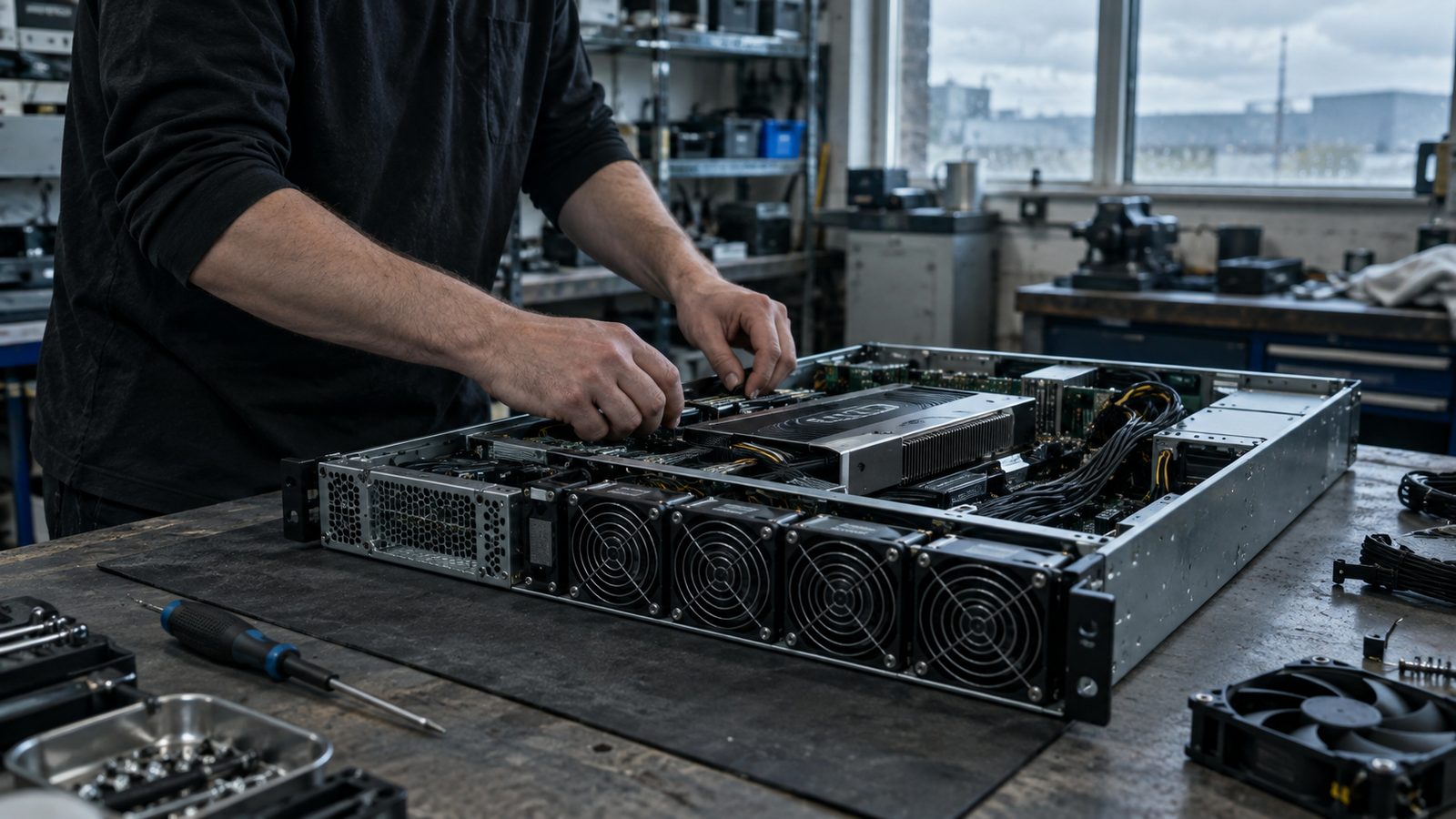
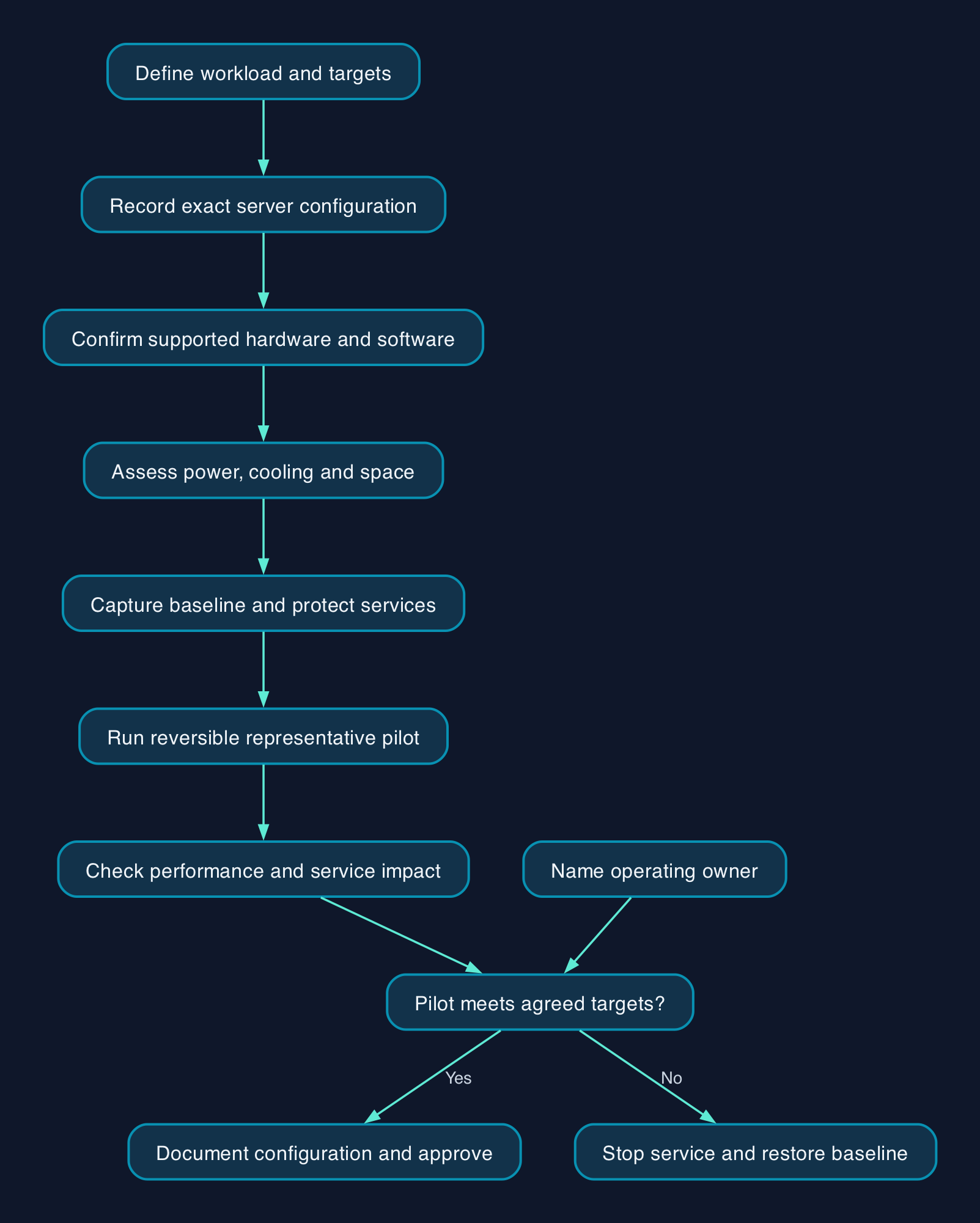
UK IT teams should approve an AI retrofit only after checking the exact server configuration, software requirements, power and cooling, and the effect on existing services. Start with a defined workload and a reversible pilot. The recommended outcome is a documented configuration that meets your performance target, has confirmed support and fits an agreed operating budget. A successful demonstration alone should not authorise production use.
Define the workload before assessing the server
Write a short acceptance brief before asking for a graphics processing unit, or GPU. State the application, model and version, representative input, expected simultaneous users, required response time and acceptable output quality.
Distinguish running an existing model, called inference, from adapting it through fine-tuning or training a model. HPE itself separates systems for inference from those positioned for larger training and tuning workloads in its portfolio overview and AI server portfolio. That distinction should start your assessment, rather than dictate a purchase.
For a hypothetical UK engineering business checking documents overnight, the acceptance condition might be completion before the next working day. An interactive assistant needs a response-time target under concurrent use. Set these targets from the business requirement; there is no universal acceptable figure.
Ask the application supplier for its supported hardware and software requirements, including whether GPU acceleration is required. Where supported, test the existing configuration before pricing an upgrade.
Identify the installed configuration
Export the hardware inventory and record the service identifier, full model, generation, processors, memory population, storage, expansion cards, power supplies and firmware versions.
The manufacturer pages cited here describe selected systems, rather than a complete retrofit matrix. Approval therefore requires the exact Dell installation and service documentation, HPE QuickSpecs or Lenovo product guide for the installed machine, together with confirmation of the proposed configuration.
HPE’s published form factors illustrate why names need precision. Its portfolio lists the DL365 Gen11 at 1U, DL380 Gen12 at 2U and DL380a Gen12 at 4U. These are rack-height specifications, not performance rankings or evidence that an existing chassis accepts a particular GPU. See HPE’s model comparison.
For each proposed accelerator, obtain written confirmation of:
- The supported part number, quantity and slot placement.
- Required risers, power cables, mounting parts and cooling components.
- Restrictions involving processors, drive bays or other installed cards.
- Supported firmware, operating system, driver and application versions.
- Support eligibility for the completed configuration.
Do not purchase against a family-level statement such as “supports GPUs”.
Check the whole software combination
Build a version record covering the operating system, any virtualisation layer, GPU driver, application runtime and model. Ask the relevant suppliers to identify supported combinations and licensing requirements.
If the AI application will run in a virtual machine, explicitly verify the proposed method of giving it GPU access. Include the intended restart, backup and recovery procedure in that check.
Avoid applying BIOS or firmware tuning instructions taken from another server generation. Record the original settings and change only those required by the approved configuration.
Map the application and its owners
For an illustrative internal document assistant, identify where documents enter the service, which component retrieves them, where the model runs and where outputs and logs are stored. Mark every external connection, including support access and any hosted service used by the application.
Use the following responsibility map before the pilot.
| Component or activity | Accountable owner | Required evidence |
|---|---|---|
| Document access and permitted use | Business data owner | Approved test dataset and access list |
| Server, firmware and accelerator | Infrastructure lead | Configuration record and compatibility confirmation |
| Application and model | Application owner | Version record, quality checks and performance targets |
| Power, cooling and physical access | Facilities or hosting provider | Written capacity assessment for the proposed installation |
| Monitoring and incidents | Internal IT or contracted support provider | Tested alerts, escalation contacts and response scope |
| Recovery and rollback | Named change owner | Restore evidence and a rehearsed withdrawal procedure |
Give the pilot only the permissions it needs. Test with an account that should be denied access as well as one that should succeed. For a document assistant, acceptance should include evidence that users cannot retrieve material outside their authorised scope.
Name the person who can stop the service if it affects production. In a small team, one person may own several rows, but each responsibility still needs an explicit owner.
Build the cost model around the complete change
The cited extracts provide no usable GBP retrofit prices. Request a dated, itemised UK quotation with VAT treatment, delivery, installation, billing commitments, support coverage and exclusions.
Compare costs over the same planned service period. Treat reuse as a candidate option whose complete cost still needs establishing.
| Cost component | What to request or measure |
|---|---|
| Hardware | Accelerator, enablement parts, memory, storage, network changes and installation |
| Software | Applicable application, operating-system, virtualisation and accelerator licences |
| Deployment | Compatibility assessment, configuration, testing, documentation and staff training |
| Electricity and cooling | Measured additional demand under representative use and the site’s applicable tariff |
| Operations | Monitoring, patching, incident response and model or application maintenance |
| Support | Coverage for the completed configuration, replacement parts and escalation responsibilities |
| Disruption and exit | Maintenance windows, recovery work, removal of the pilot and eventual migration |
For electricity budgeting, multiply measured additional average demand in kilowatts by operating hours and the electricity rate in pounds per kilowatt-hour. Record those inputs before calculating a figure.
Do not substitute a power-supply rating for measured demand. Keep any unmeasured cooling overhead or shared-facility allocation explicit rather than presenting an incomplete subtotal as total cost of ownership.
For support quotations, ask whether the provider diagnoses only hardware faults or also driver, runtime and application problems. Require the handover documents and escalation boundaries to be deliverables.
Migration and rollout checklist
Establish a recoverable starting point
- [ ] Capture the baseline. Record existing application response times, resource use, power readings and hardware alerts over a representative operating period.
- [ ] Confirm compatibility. Retain the exact configuration documentation and written answers for every proposed hardware or software change.
- [ ] Approve the facility assessment. Obtain confirmation covering power feeds, cooling, rack space, weight and the intended redundancy arrangement.
- [ ] Protect existing services. Take appropriate backups and prove that the affected application or configuration can be restored.
- [ ] Set stopping conditions. Agree which temperature alerts, errors or production-service degradations require the pilot to stop.
Install within an approved maintenance window
Hardware work, firmware updates and restarts can interrupt existing services. Obtain the change window before beginning and follow the exact model’s service procedure, including isolation and handling requirements.
- [ ] Record the starting configuration. Preserve firmware settings, installed versions and application configuration.
- [ ] Install the approved parts. Reconcile the delivered components against the authorised parts list before fitting them.
- [ ] Check platform health. Confirm component detection and resolve hardware alerts before starting the application.
- [ ] Validate the software stack. Record the installed versions and verify that the intended accelerator is available to the application.
Test the service and the neighbouring workloads
- [ ] Run representative inputs. Use the agreed model, input sizes and expected concurrency. Record output quality alongside response time and throughput.
- [ ] Exercise sustained demand. Monitor temperatures, power, memory, storage and errors throughout a run representative of intended use.
- [ ] Compare existing services with the baseline. Obtain their owners’ acceptance of any change in response time or availability.
- [ ] Test permissions and alerts. Confirm denied access behaves correctly and that a test incident reaches the responsible person.
- [ ] Rehearse recovery safely. Demonstrate application restart and configuration restoration without deliberately disrupting production hardware.
Accept or withdraw the pilot
- [ ] Approve production operation. Retain test results, the operating procedure, support contacts and budget approval.
- [ ] Execute rollback if acceptance fails. Stop the AI service, restore the recorded software and settings, and remove hardware only through the approved service procedure.
- [ ] Verify the restored baseline. Confirm existing applications and hardware health before closing a failed change.
When a test fails, change one relevant variable and repeat the affected checks. Do not respond to an unexplained slowdown by purchasing another accelerator.
Choose between reuse and a separate platform
Use the same acceptance brief to assess each option. The following are editorial decision criteria, not measured supplier rankings.
| Option | Consider it when | Evidence required before committing |
|---|---|---|
| Retain the existing configuration | The application supports it and the pilot meets the business target | Workload results, production-service impact and operating ownership |
| Retrofit the existing Dell, HPE or Lenovo server | A supported upgrade meets the target within site and budget constraints | Exact parts approval, completed configuration support and successful acceptance tests |
| Use a separate server | The project needs a separate maintenance schedule or the installed machine cannot support the required configuration | Site assessment, full quotation and application validation |
| Evaluate hosted capacity | Hardware demand or the operating commitment remains uncertain | A separate assessment of service terms, data handling, performance, usage charges and exit |
A dense AI platform is a different procurement decision from retrofitting an existing server. Lenovo’s SR780a V3 guide, for example, describes eight onboard GPUs and liquid cooling. Those specifications should trigger a facility and operating-model assessment before a product shortlist.
Editorial analysis
CTC’s recommendation is to approve reuse only when the team can produce three things together: a supported configuration, a representative acceptance test and a named operating owner.
For a small IT team, unresolved responsibility is a reason to pause even when the hardware test succeeds. Include documentation, training and fault escalation in the project budget. The useful next step is a configuration assessment and pilot brief, followed by a purchase only if those checks justify it.
Sources
The supplied source extracts were dated 28 September 2026. Publisher update dates were not established.